
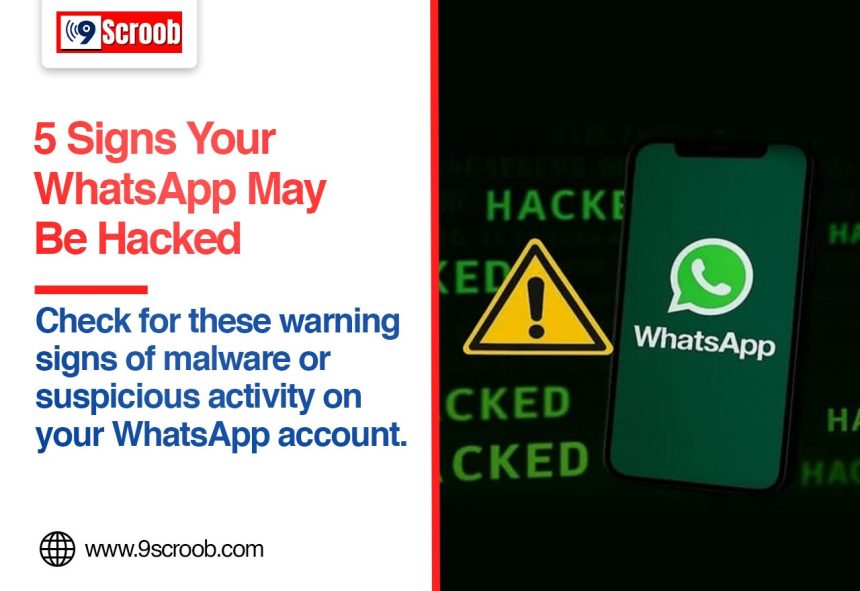
WhatsApp is one of the most widely used messaging apps for personal and professional communication. Because people share private messages, photos, documents and other sensitive information through the platform, a compromised WhatsApp account can create serious privacy concerns.
But how can you tell if someone has gained unauthorised access to your WhatsApp account?
There are several warning signs that users should not ignore. Unusual messages, unknown linked devices, unexpected account activity and suspicious phone behaviour could indicate that your account or device has been compromised.
Here are five signs that may indicate a WhatsApp security or malware-related problem and what you can do if you notice them.
1. You See Unknown Linked Devices
One of the first things you should check if you suspect your WhatsApp account has been compromised is the Linked Devices section.
WhatsApp allows users to connect their account to computers and other devices. If someone gets access to your phone and links another device, they may be able to access your WhatsApp chats through that session.
How to check linked devices
Open WhatsApp and go to:
Settings → Linked Devices
Review the list carefully.
If you see a computer, browser or other device that you do not recognise, select it and log it out.
If you repeatedly find unfamiliar devices being linked, change your account security settings and consider whether someone else has access to your phone.
2. Messages Are Being Sent Without Your Knowledge
Another warning sign is seeing messages that you did not send.
Check your recent conversations for:
Messages you don’t remember sending
Replies made while you were away
Messages sent to unfamiliar contacts
Unexpected group activity
Status updates you did not post
This does not always mean that WhatsApp itself has been hacked. Someone with access to an unlocked phone or a linked device could potentially send messages from your account.
If you notice suspicious activity, immediately check your Linked Devices and secure your account.
3. You Receive Unexpected Verification Codes
WhatsApp uses a phone-number verification process when an account is registered on a device.
If you suddenly receive an SMS or notification containing a WhatsApp verification code that you did not request, pay attention.
It could mean that someone is attempting to register your phone number on another device.
Never share your verification code
Do not give your WhatsApp verification code to anyone, even if the person claims to be a friend, colleague or WhatsApp representative.
Scammers may try to convince users to share the code so they can take control of the account.
If you receive an unexpected code, do not share it and review your account security.
4. Your Phone Shows Unusual or Suspicious Behaviour
Sometimes the problem may not be WhatsApp itself. Malware or another malicious application on your phone could potentially put your personal information at risk.
Be cautious if your phone suddenly starts showing unusual behaviour such as:
Battery draining much faster than usual
Unexpected overheating
Unusual mobile data consumption
Unknown applications appearing
Frequent pop-ups or redirects
Apps opening without your action
Significant performance problems
These symptoms can have many causes and do not automatically prove that malware is installed.
However, if several unusual signs appear at the same time, review recently installed applications and update your phone’s operating system and security software.
5. You Are Suddenly Logged Out of WhatsApp
Another important warning sign is being unexpectedly logged out of your WhatsApp account.
If someone successfully registers your phone number on another device, your existing WhatsApp session can be affected.
If you suddenly lose access to your account without intentionally logging out, try registering your number again using the official WhatsApp verification process.
Never share the verification code with another person.
If you regain access, immediately check Linked Devices and enable additional account security features.
What Should You Do If You Think Your WhatsApp Account Is Compromised?
If you notice one or more of these signs, don’t panic. Take a few immediate steps to secure your account.
1. Check Linked Devices
Open WhatsApp and review every connected device.
Log out of anything you don’t recognise.
2. Enable Two-Step Verification
WhatsApp provides a two-step verification feature that adds an additional PIN to the account registration process.
You can find it under:
WhatsApp → Settings → Account → Two-step verification
Set a PIN that you don’t use elsewhere and keep it private.
3. Never Share Your Verification Code
Your WhatsApp registration code is private.
No legitimate contact should need you to send that code to them.
If someone asks for it, treat the request as suspicious.
4. Update WhatsApp
Make sure you are using the latest version of WhatsApp available for your device.
Security updates can address vulnerabilities and improve the app’s protection.
5. Remove Suspicious Apps
Review the applications installed on your phone.
If you find an application you don’t recognise, investigate it before using or keeping it on your device. Avoid downloading apps from unknown websites or unofficial sources.
6. Secure Your Phone
Use a strong screen lock, fingerprint authentication or another available security feature.
Avoid leaving your phone unlocked where other people can access it.
Can WhatsApp Be Hacked Remotely?
The word “hacked” can mean several different things.
In many everyday cases, account compromise happens because someone obtains a verification code, gains access to an unlocked phone, or gets access through a linked device.
Malicious software on a phone can also create security risks.
Therefore, unusual WhatsApp activity does not automatically mean that someone has remotely hacked the WhatsApp servers or encrypted chats.
It is important to identify the actual warning signs before assuming the worst.
How to Protect Your WhatsApp Account
A few simple security habits can significantly reduce the risk of account compromise.
Keep WhatsApp and your phone’s operating system updated.
Enable two-step verification.
Never share WhatsApp verification codes.
Check Linked Devices regularly.
Use a strong screen lock.
Download applications only from trusted sources.
Avoid clicking suspicious links.
Be careful with unexpected files and messages.
Don’t give remote access to your phone to unknown people.
Use the official WhatsApp application.
FAQs
How do I know if my WhatsApp is hacked?
Check for unknown linked devices, messages you did not send, unexpected verification codes, unexplained account activity or other unusual behaviour.
Can someone read my WhatsApp messages without my knowledge?
Unauthorised access can occur through a compromised device or an active linked session. Check WhatsApp’s Linked Devices section if you suspect someone has access.
What should I do if someone has linked my WhatsApp to another device?
Open Settings → Linked Devices, select the unfamiliar device and log it out. Then review your account security settings and enable two-step verification if it is not already enabled.
What happens if I receive a WhatsApp verification code I didn’t request?
Do not share the code. Someone may be attempting to register your phone number. Secure your account and review your linked devices.
Does fast battery drain mean my phone has malware?
Not necessarily. Battery drain can have many causes. However, if it occurs alongside unknown apps, unusual data usage, pop-ups or other suspicious behaviour, investigate the device’s security.
Conclusion
A compromised WhatsApp account can put your conversations and personal information at risk, but unusual behaviour does not always mean that your account has been hacked.
The most important things to check are Linked Devices, unexpected messages, verification codes and suspicious phone activity.
By enabling two-step verification, keeping your apps updated and never sharing verification codes, you can strengthen your WhatsApp security and reduce the risk of unauthorised access