
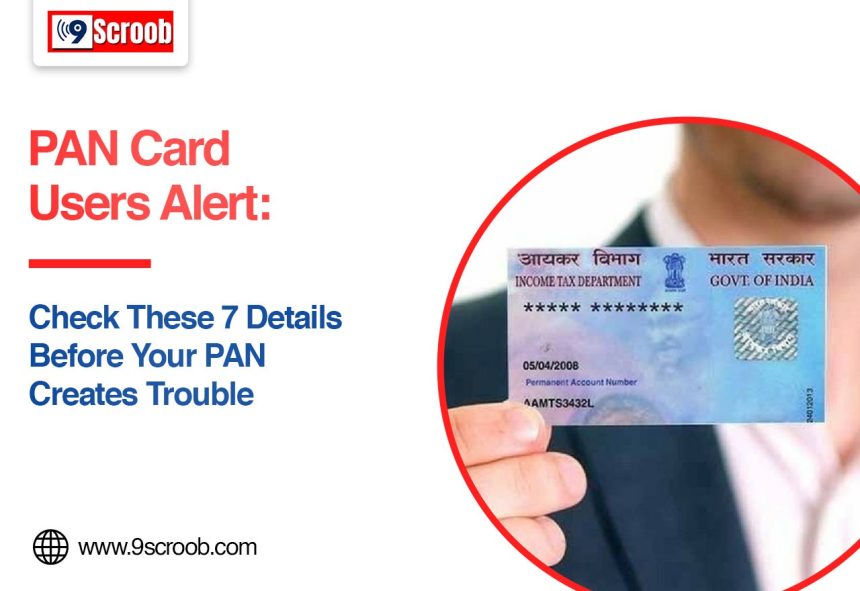
Your PAN card is one of the most important documents you own when it comes to money and taxes in India. Filing income tax returns, opening financial accounts, completing KYC: PAN details come up in all of them.
A small mistake in your PAN information might not seem like a big deal at first. But it can come back to bite you when you need to complete a verification, link your PAN with Aadhaar or carry out certain financial transactions. The good news is that the Income Tax Department offers an online facility to check whether your PAN details are correct and whether your PAN is active.
7 PAN Card Details You Should Check Today
- Check Your Name on the PAN
Start with the basics: the name printed on your PAN. Make sure the spelling is right and that it matches the name on your Aadhaar and other key financial documents. Little differences, like a missing initial, a spelling slip, or a different name order, can sometimes cause verification problems.
A mismatch between your PAN and Aadhaar details can also get in the way when you try to link the two. If this happens, the Income Tax Department advises taxpayers to correct the details in either database.
- Verify Your Date of Birth
Your date of birth is another detail that deserves a quick look. Check that the date in your PAN records is correct. Even a small difference between the date of birth in your PAN and your Aadhaar can stop the Aadhaar-PAN linking from going through.
The Income Tax Department’s PAN verification service lets you check details like your name and date of birth, so it’s easy to confirm.
- Make Sure Your PAN Is Active
Just because you have a PAN card doesn’t mean everything is fine behind the scenes. You can use the Income Tax Department’s Verify PAN Status service to find out whether your PAN is active. The best part is that you don’t even need to log in to the e-Filing portal.
You’ll generally need your PAN, full name, date of birth, and a mobile number you can access for verification. Checking your PAN status ahead of time means you can spot a problem early, well before you need the document for something important.
- Check Your Aadhaar-PAN Link Status
Where the linking requirement applies, you should also confirm that your PAN is properly linked with Aadhaar. According to the Income Tax Department, PAN-Aadhaar linking is mandatory for applicable existing PAN holders, though certain categories are exempt. If your PAN needs to be linked and isn’t, it can become inoperative. It’s equally important to make sure the correct Aadhaar number is linked to your PAN. Linking the wrong one can lead to extra complications down the road.
- Check Your Mobile Number
Your current mobile number plays a big role in online verification and tax-related services. When you use the Income Tax Department’s PAN verification facility, an OTP is sent to the mobile number you enter, and that OTP is valid only for a short time.
So make sure you still have access to the number you use for PAN and tax-related services. It would be a shame to get stuck because of an old SIM.
- Check Your PAN Photo and Other Personal Details
If your PAN has an outdated photo or any incorrect personal information, it’s worth finding out whether an update is needed.
The Income Tax Department’s Aadhaar-based e-PAN update facility allows certain details to be updated using Aadhaar e-KYC. These include your photo, name, date of birth, mobile number, email ID, and address, subject to the applicable process and eligibility.
Keeping your details consistent across your important identity documents makes future verification a lot smoother.
- Check for Duplicate or Incorrect PAN Details
Be careful about holding or using incorrect PAN information. If you notice that your PAN is connected to the wrong Aadhaar, or to some other Aadhaar, get it sorted through the proper Income Tax Department process. The department specifically advises taxpayers to make sure the correct Aadhaar is linked with their PAN.
And if you’re not sure about your PAN status, check it on the official Income Tax e-Filing portal. That’s far safer than trusting information from random calls, messages or third-party websites.
How to Verify Your PAN Online
The Income Tax Department offers a Verify PAN Status service on its e-Filing portal. Just enter your PAN, full name, date of birth and mobile number, then type in the OTP sent to your phone. Once the verification is done, your PAN status shows up on screen.
It takes only a few minutes, and it can help you catch problems before they turn into a bigger headache.
What Should You Do If PAN Details Are Wrong?
If you find a mistake in your PAN information, don’t brush it aside. Depending on what needs fixing, you may have to go through an authorised PAN service provider or the relevant Income Tax Department facility.
For Aadhaar-PAN mismatches, the Income Tax Department advises correcting the information in either the PAN or Aadhaar database so that both match.
Final Words
When it comes to PAN problems, prevention is usually much easier than the cure. Spending a few minutes checking your name, date of birth, PAN status, Aadhaar link and other personal details can save you a lot of trouble during tax filing and financial verification.
Most importantly, stick to the official Income Tax e-Filing portal when you check or update your PAN details. And never share OTPs or sensitive information with unknown callers who claim to offer PAN help.
FAQs
How can I check whether my PAN is active?
You can use the Verify PAN Status service on the official Income Tax e-Filing portal.
Which PAN details should I check?
Check your name, date of birth, PAN status, Aadhaar linkage, mobile number, and any other personal information recorded against your PAN.
What happens if my PAN and Aadhaar details do not match?
A mismatch can cause problems when you try to link your PAN with Aadhaar. The Income Tax Department advises correcting the details in either the PAN or Aadhaar database.
Can I check my PAN status online without logging in?
Yes. The Income Tax Department’s Verify PAN Status service is available as a pre-login service for individual users.
What should I do if my PAN becomes inoperative?
If your PAN has become inoperative because of the applicable Aadhaar-linking requirements, follow the official Income Tax Department procedure to make it operative again.