
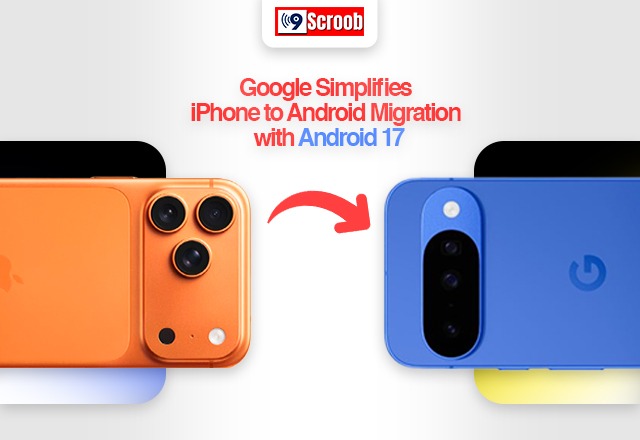
If you’ve ever thought about switching from an iPhone to an Android phone, chances are one question has held you back: What happens to all my data? From photos and contacts to messages and apps, moving everything from one phone to another can feel like a daunting task. Google knows this, and with Android 17, it’s trying to make the transition much easier.
The latest Android update introduces a more seamless way to transfer data from an iPhone, cutting down on extra steps and making the setup process far less intimidating. Whether you’re buying a Pixel, Samsung Galaxy, or another Android device, getting started should now be much smoother.
Switching Doesn’t Have to Be Complicated
One of the biggest improvements in Android 17 is how simple the setup process has become. Previously, many users had to download Google’s “Switch to Android” app on their iPhone before transferring their data. With Android 17, that’s no longer necessary. During the initial setup of a new Android phone, users can simply scan a QR code with their iPhone to begin moving their data. It may sound like a small change, but it removes an extra step and makes the entire process feel more straightforward.
More of Your Data Comes With You
Changing phones often means worrying about what you’ll lose along the way. Google has expanded the amount of information that can be transferred so users can bring more of their digital life to Android.
Depending on device compatibility, users can move:
- Contacts
- Photos and videos
- Messages
- Call history
- Calendars
- Saved Wi-Fi networks
- Passwords
- Some device settings
- eSIM information on supported carriers
This means you can spend less time setting up your new phone and more time actually using it.
Reinstalling Apps Is Much Easier
No one enjoys searching for dozens of apps one by one after switching phones. Android 17 helps simplify this by recognizing many of the apps installed on your iPhone and suggesting their Android versions during setup. If they’re available on the Google Play Store, they can be downloaded automatically. You’ll still need to sign in to some apps, but at least finding and installing them becomes much quicker.
Better Support for eSIM Users
As eSIM technology becomes more common, transferring a mobile connection is becoming just as important as moving photos or contacts. Android 17 offers improved support for transferring compatible eSIM profiles from an iPhone to an Android phone. While availability depends on your mobile carrier, the update is another step toward making the switching process more hassle-free.
A More Comfortable Welcome to Android
Google isn’t just helping users move their files—it’s also making Android easier to get used to. The setup experience includes helpful suggestions for security settings, privacy options, and device customization. Instead of leaving new users to figure everything out on their own, Android 17 offers guidance along the way, making the experience feel less overwhelming. For someone using Android for the first time, these small improvements can make a big difference.
Why This Update Matters
Many people don’t switch smartphones because they’re unhappy with their current device—they stay because moving everything feels like too much work.
Android 17 tackles that problem directly. By simplifying data transfers and reducing the number of setup steps, Google is making it easier for iPhone users to give Android a try without worrying about losing important information. It’s a practical update that focuses on solving a real problem rather than adding flashy features.
Final Thoughts
Switching from an iPhone to Android has never been the easiest decision, but Android 17 makes it a lot less stressful. With a faster setup process, easier data transfers, improved app migration, and better support for eSIM, Google is removing many of the common headaches that come with changing smartphones. If you’ve been curious about exploring Android but didn’t want to deal with the hassle of moving everything over, Android 17 could finally give you a reason to make the switch.